
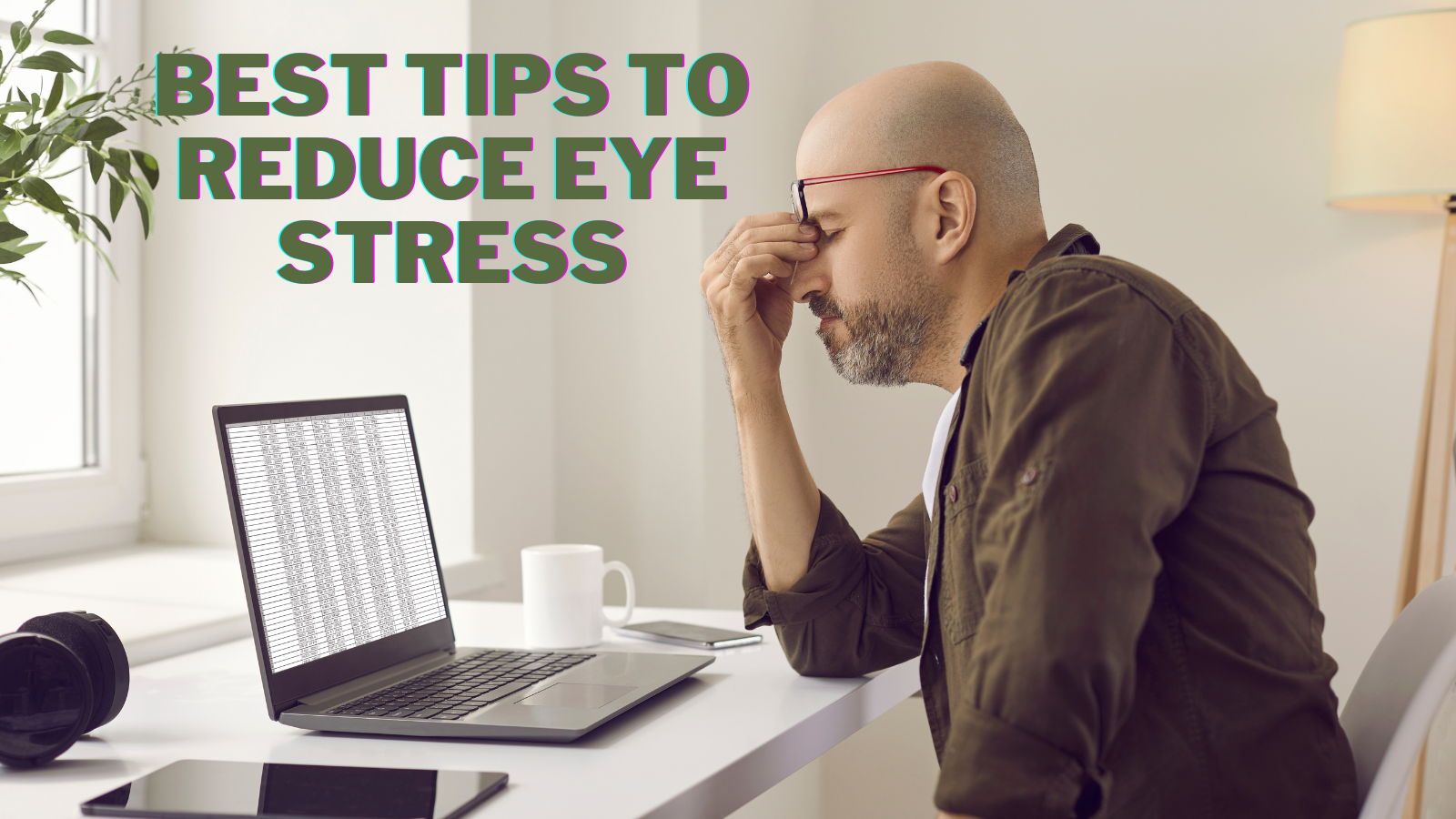
11 Best Tips To Reduce Eye Stress

Tips to reduce eye stress are increasingly useful as computers, phones, tablets, and other digital screens become part of everyday life. Spending long periods looking at screens may leave your eyes feeling tired, dry, or uncomfortable.
Eye strain isn’t limited to screen use. Reading for long periods, driving, working in poor lighting, and other activities that require sustained focus may leave your eyes feeling tired or uncomfortable.
Simple changes to your screen habits, lighting, workspace, and daily routine may make a noticeable difference. Start with regular breaks and a comfortable viewing setup.
This guide explores practical ways to reduce eye strain during everyday activities and create more comfortable habits for your eyes. Small adjustments throughout the day may make screen time and other visually demanding tasks easier on your eyes.
What Is Eye Stress?
Eye stress is more commonly known as eye strain or eye fatigue. It occurs when your eyes become tired or uncomfortable after prolonged or intense use, such as looking at digital screens, reading, driving long distances, or doing detailed close-up work.
Eye strain is usually temporary and improves with rest or when you switch activities. However, ongoing symptoms may sometimes be related to dry eyes, uncorrected vision problems, or another condition that needs attention.
Common symptoms of eye strain include:
- Tired, sore, burning, or itching eyes
- Dry or watery eyes
- Blurred or double vision
- Headaches
- Increased sensitivity to light
- Difficulty concentrating
- Neck, shoulder, or back discomfort
Several everyday activities and environmental conditions may contribute to eye strain, including prolonged screen use, reading without breaks, driving long distances, glare, dim lighting, dry moving air, and uncorrected vision problems.
Simple changes often make your eyes more comfortable. Taking regular breaks, blinking frequently, reducing glare, adjusting your screen and lighting, and using the right eyewear are practical steps recommended to reduce eye strain.

Tips To Reduce Eye Stress
Long periods of computer work, reading, driving, and other visually demanding activities may leave your eyes feeling tired or uncomfortable. Taking a few simple steps throughout the day may make these activities easier on your eyes.
Your surroundings matter too. Glare, uncomfortable lighting, dry indoor air, and an awkward screen position may contribute to tired eyes during activities that require prolonged focus.
Small changes are often the easiest place to start. Regular breaks, comfortable lighting, frequent blinking, and a well-arranged workspace may reduce discomfort from extended screen use or close-up work.
The following tips focus on practical habits that fit naturally into everyday life. You can adjust them to suit your work, reading habits, surroundings, and daily routine.
1. Take Regular Breaks
Regular breaks from screens, reading, and other activities that require prolonged focus give your eyes a chance to rest. Short breaks are especially useful when you spend much of the day working at a computer or concentrating on close-up tasks.
During a break, look away from your screen or reading material and focus on something farther away. You can also stand up, stretch, walk around, or simply spend a few moments looking out a window.
Try not to replace one screen with another during your break. Checking your phone immediately after stepping away from your computer keeps you in the same type of close-up visual activity.
Regular breaks are easiest to maintain when they become part of your routine. A timer, a natural stopping point in your work, or a break between tasks may remind you to give your eyes a few moments away from close-up focus.

2. Blink Frequently
Blinking naturally spreads tears across the surface of your eyes, helping them stay moist and comfortable. During prolonged screen use or other concentration-heavy activities, people often blink less frequently.
Making a conscious effort to blink more often may help when your eyes start to feel dry or tired. A few slow, complete blinks are easy to work into your day without interrupting what you are doing.
Regular screen breaks provide another opportunity to blink naturally and shift your focus. Combining these small habits may make long periods of computer work, reading, or other close-up activities more comfortable.
Dry indoor air may add to eye discomfort, particularly during heating or air-conditioning season. Maintaining comfortable indoor humidity and avoiding direct airflow from fans or vents may make the environment easier on your eyes.
3. Use Proper Lighting
Comfortable lighting can make screen work, reading, and other close-up activities easier on your eyes. The goal is to provide enough light for the task without creating harsh contrasts, glare, or distracting reflections.
Position computer screens so bright windows and overhead lights do not reflect directly on the display. Blinds, curtains, or a slight change in screen position may reduce glare without requiring you to darken the entire room.
For reading, writing, or detailed work, a desk lamp or other form of task lighting provides focused illumination where you need it. Softer ambient lighting can then brighten the surrounding room and reduce the contrast between your work area and the background.
Adjustable LED lighting gives you more control over brightness and colour throughout the day. Warmer or cooler light may feel more comfortable depending on the room, the activity, the amount of natural daylight, and your personal preference.
A balanced lighting setup usually works better than relying on one very bright light source. Combining natural light, ambient lighting, and task lighting allows you to adjust your workspace as conditions change.
4. Maintain Proper Posture
Your sitting position affects how comfortably you view a computer screen throughout the day. An awkward setup may cause you to lean forward, tilt your head, or continually adjust your position to see the screen clearly.
Sit comfortably with your back supported and your feet resting flat on the floor or on a footrest. A supportive home office chair and frequently used items within easy reach can make it easier to maintain a comfortable working position.
Place your monitor directly in front of you at a comfortable viewing distance. The top of the screen should generally be at or slightly below eye level so you can view it without repeatedly tilting your head upward or downward.
Laptop users may find it more difficult to achieve a comfortable screen height because the keyboard and display are attached. A laptop stand or raised surface, combined with a separate keyboard and mouse, may offer more flexibility when setting up a workspace.
5. Get Enough Sleep
A good night’s sleep gives your eyes a welcome break from screens, reading, and other activities that require prolonged focus. After a long day of visual activity, allowing time to rest is a simple part of a balanced daily routine.
A relaxing evening routine can make it easier to step away from screens and prepare for sleep. Dimming bright lights, putting digital devices aside, reading quietly, or enjoying another calming activity can create a gentler transition between a busy day and bedtime.
Keeping a reasonably consistent bedtime and creating a comfortable sleep environment may support better rest. A dark, quiet room and fewer distractions can make winding down easier.
Meditation is another gentle way to create a calmer bedtime routine. Our guide on using meditation for better sleep explores simple ways to incorporate meditation into your evening.

6. Follow The 20-20-20 Rule
The 20-20-20 rule is a simple way to build short eye breaks into screen time or close-up work. Every 20 minutes, look at something about 20 feet away for at least 20 seconds.
Shifting your attention to something farther away gives your eyes a brief change from continuous close-up focus. Looking through a window, across a room, or toward another distant object makes the habit easy to practise almost anywhere.
You do not need to watch the clock constantly. A timer, reminder app, or natural pause between tasks can help you remember the rule until it becomes part of your normal routine.
The 20-20-20 rule works nicely alongside the other habits in this guide rather than replacing regular breaks. Longer periods away from your screen still give you opportunities to move around, stretch, and enjoy a change of scenery.
Turn Your Passion for Nature Into Income
🌿 Whether you love gardening, caring for animals, or exploring holistic living,
You can share your knowledge online and earn from it.
Discover how nature lovers are growing their passions into meaningful, income-generating blogs. 👇
7. Try Gentle Yoga Exercises For Your Eyes
Yoga traditions include gentle eye practices that encourage relaxation, mindful movement, and breaks from prolonged visual focus. You can incorporate these exercises into a quiet yoga or wellness routine without special equipment.
Move slowly and comfortably, and never force your eyes into an uncomfortable position. These practices are gentle relaxation activities, not treatments for vision problems.
Palming
Rub your palms together for a few moments until they feel pleasantly warm. Close your eyes and gently cup your hands over them without pressing on your eyelids.
Relax your shoulders and breathe slowly while resting in the darkness for a short time. When you are ready, remove your hands gradually and open your eyes.
Near-And-Far Gazing
Choose one object relatively close to you and another farther away. Look comfortably at the nearer object for a few moments, then shift your gaze to the distant one.
Continue moving your attention gently between the two without straining to focus. This provides a simple change from spending long periods looking at one distance.
Side-To-Side Gazing
Keep your head comfortably still and slowly move your gaze toward one side. Return your eyes to the centre, then gently look toward the opposite side.
Repeat the movement a few times at a relaxed pace. Avoid stretching your gaze farther than feels natural or comfortable.
Mindful Blinking
Relax your face and blink several times gently without squeezing your eyelids. Then close your eyes briefly and allow them to rest before opening them again.
Mindful blinking is particularly easy to practise during computer work because it takes only a few moments. It also provides a natural pause before returning your attention to the screen.
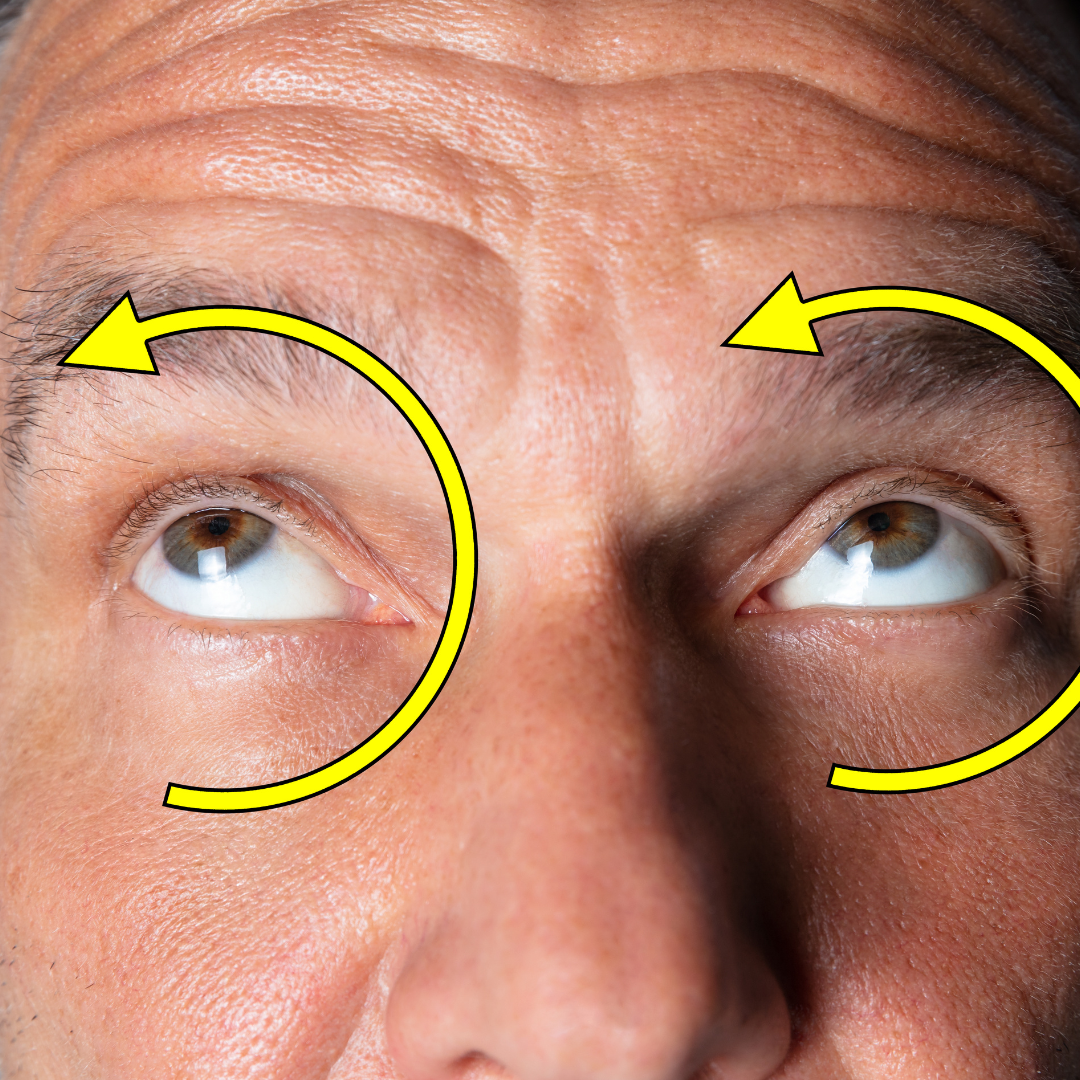
Gentle Circular Eye Movements
With your head still, slowly move your gaze in a comfortable circular direction. After a few gentle circles, pause, then repeat the movement in the opposite direction.
Keep the circles smooth and relaxed rather than trying to make them as large as possible. Stop whenever your eyes feel tired or uncomfortable.
8. Eat A Healthy Diet
A varied, balanced diet provides nutrients that support the whole body, including the eyes. Colourful fruits and vegetables, leafy greens, legumes, nuts, seeds, and whole grains offer a wide range of vitamins, minerals, and other plant compounds.
Dark leafy greens such as spinach, kale, and collard greens provide lutein and zeaxanthin, while carrots, sweet potatoes, pumpkin, and other orange vegetables provide beta-carotene, which the body converts to vitamin A.
Plant foods can provide omega-3 fatty acids as well. Flaxseeds, chia seeds, hemp seeds, and walnuts are easy additions to meals and snacks and fit naturally into a plant-based eating pattern.
Rather than focusing on individual foods as treatments for eye problems, aim for plenty of variety throughout the week. Different colours, textures, and types of whole plant foods make it easier to build a nutritious and enjoyable diet.

9. Spend Time Outdoors
Spending time outdoors gives your eyes a natural break from computers, phones, books, and other close-up activities. Even a short period outside changes your surroundings and encourages you to look at objects at different distances.
Step into the garden, take a leisurely walk, sit outdoors, or simply enjoy the view from a comfortable spot. Simple ways to de-stress and relax in nature give you a change of scenery while encouraging your attention away from nearby screens.
Outdoor breaks give you a chance to put digital devices aside for a while. Instead of taking your phone, use the time to notice your surroundings, breathe deeply, and let your attention move naturally from one part of the landscape to another.
You don’t need to make this a formal activity. A few outdoor breaks throughout the day can become part of a relaxing routine that gives your eyes and mind a break from concentrated screen work.
10. Create Screen-Free Moments
Screens often fill the small gaps in the day, from checking a phone during breakfast to scrolling while relaxing in the evening. Creating intentional screen-free moments gives your eyes a change from continuous close-up viewing.
Choose a few everyday activities that do not require a phone, tablet, television, or computer. Enjoy a meal without a screen, listen to music, tend to your plants, spend time with a pet, work in the garden, or sit outside for a while.
Even short screen-free periods can become pleasant pauses in your routine. Rather than automatically reaching for your phone during a break, use those few minutes to look around, move your body, or simply enjoy doing nothing.
Screen-free time does not need to follow a strict schedule. The goal is to create natural spaces throughout the day when your attention—and your eyes—can shift away from digital devices.
11. Support Your Overall Wellbeing
Eye comfort is only one part of feeling well during a busy day. Long hours at a computer or focused work on detailed tasks can leave your whole body feeling tired, tense, or in need of a change.
Build small wellness breaks into your routine rather than waiting until the end of the day. Stand up, stretch gently, drink some water, step outdoors, or spend a few quiet moments away from screens and other distractions.
Relaxation practices such as meditation techniques, yoga for stress relief, deep breathing, or simply sitting quietly may provide a welcome pause during a demanding day. Choose activities you genuinely enjoy so they become part of your routine, not another task on your list.
Pay attention to how your daily habits make you feel. A comfortable workspace, nourishing food, restful sleep, regular movement, time outdoors, and opportunities to relax all contribute to a more balanced approach to everyday wellbeing.

Frequently Asked Questions
Q1: What Is The Difference Between Eye Stress And Eye Strain?
Eye stress is an informal term for the tired or uncomfortable feeling that may occur after prolonged visual concentration. Eye strain and eye fatigue are more commonly used terms for the same general experience.
Long periods of screen use, reading, driving, detailed work, glare, or uncomfortable lighting may all contribute to tired eyes. People often use these terms to describe this kind of everyday visual discomfort.
Q2: Can Too Much Screen Time Make Your Eyes Feel Tired?
Long periods of screen use may leave your eyes feeling tired, dry, or uncomfortable. Concentrating on a screen for extended periods may also mean you blink less frequently and spend more time focusing at one distance.
Regular breaks, frequent blinking, comfortable lighting, and occasional screen-free periods may make extended computer or device use more comfortable throughout the day.
Q3: How Often Should I Rest My Eyes When Using A Computer?
The 20-20-20 rule provides an easy routine to remember. Every 20 minutes, look at something about 20 feet away for at least 20 seconds to give your eyes a change from close-up focus.
Longer breaks are useful throughout the day as well. Stand up, stretch, walk around, look outdoors, or spend a few minutes doing something that does not involve another screen.
Q4: Does Blinking Help Tired Eyes?
Blinking naturally spreads tears across the surface of your eyes, helping them stay moist and comfortable. People may blink less frequently while concentrating on computers, phones, or other close-up activities.
Making a conscious effort to blink normally during extended screen use is a simple habit. A few slow, complete blinks also fit easily into regular breaks from your screen.
Q5: Is Natural Light Better For Computer Work?
Natural daylight can create a comfortable workspace, but its position and intensity matter. Bright sunlight reflecting from a computer screen or shining directly into your eyes may create uncomfortable glare.
Position your screen away from strong reflections and use blinds or curtains when needed. Combining daylight with comfortable ambient and task lighting allows you to adjust the room as natural light changes.
Q6: What Are Some Natural Ways To Rest Your Eyes?
Looking at distant objects, spending time outdoors, blinking gently, or simply closing your eyes for a quiet moment can break up prolonged close-up focus. Gentle yoga-inspired eye practices may also fit into a relaxing daily routine.
Screen-free activities such as walking, gardening, listening to music, or spending time outdoors offer another chance to step away from digital devices and shift where you focus your attention.
Conclusion
These tips to reduce eye strain focus on simple changes that can make visually demanding activities more comfortable. Regular breaks, frequent blinking, balanced lighting, comfortable posture, and thoughtful screen settings are practical places to begin.
The 20-20-20 rule provides an easy reminder to shift your focus during periods of close-up work. Gentle yoga exercises for the eyes and quiet moments away from screens can add relaxation to your daily routine.
Healthy habits away from the computer matter too. Nourishing foods, restful sleep, time outdoors, regular movement, and activities such as meditation or yoga contribute to a more balanced approach to everyday wellbeing.
You don’t need to make every change at once. Start with habits that fit naturally into your day, notice what feels comfortable, and gradually build a routine that gives your eyes regular breaks from prolonged visual focus.
I trust you enjoyed this article on the 11 Best Tips to Reduce Eye Stress. Please stay tuned for more inspiring guides, helpful tips, and ideas to help you live closer to nature every day.
Take care!
— JeannetteZ🌿
💬 Your Opinion Is Important To Me
Do you have thoughts, ideas, or questions? I’d love to hear from you. Please leave your comments below or email me directly at Jeannette@Close-To-Nature.org.
📚 More Nature-Inspired Reads
Explore more ways to connect with nature, nurture your pets, and live in harmony with the world around you 🌿